What LinkedIn allows
LinkedIn has a Messages API and an Invitations API, and it restricts both to approved partners (Messages API, Invitations API, checked October 15, 2026). LinkedIn's User Agreement prohibits unauthorized automated methods, so any tool that sends from a member account carries a risk of restriction, ours included.
Bavlio sends from your own LinkedIn account, through a campaign that keeps each account under daily and weekly caps. LinkedIn API for AI agents covers what each LinkedIn API allows.
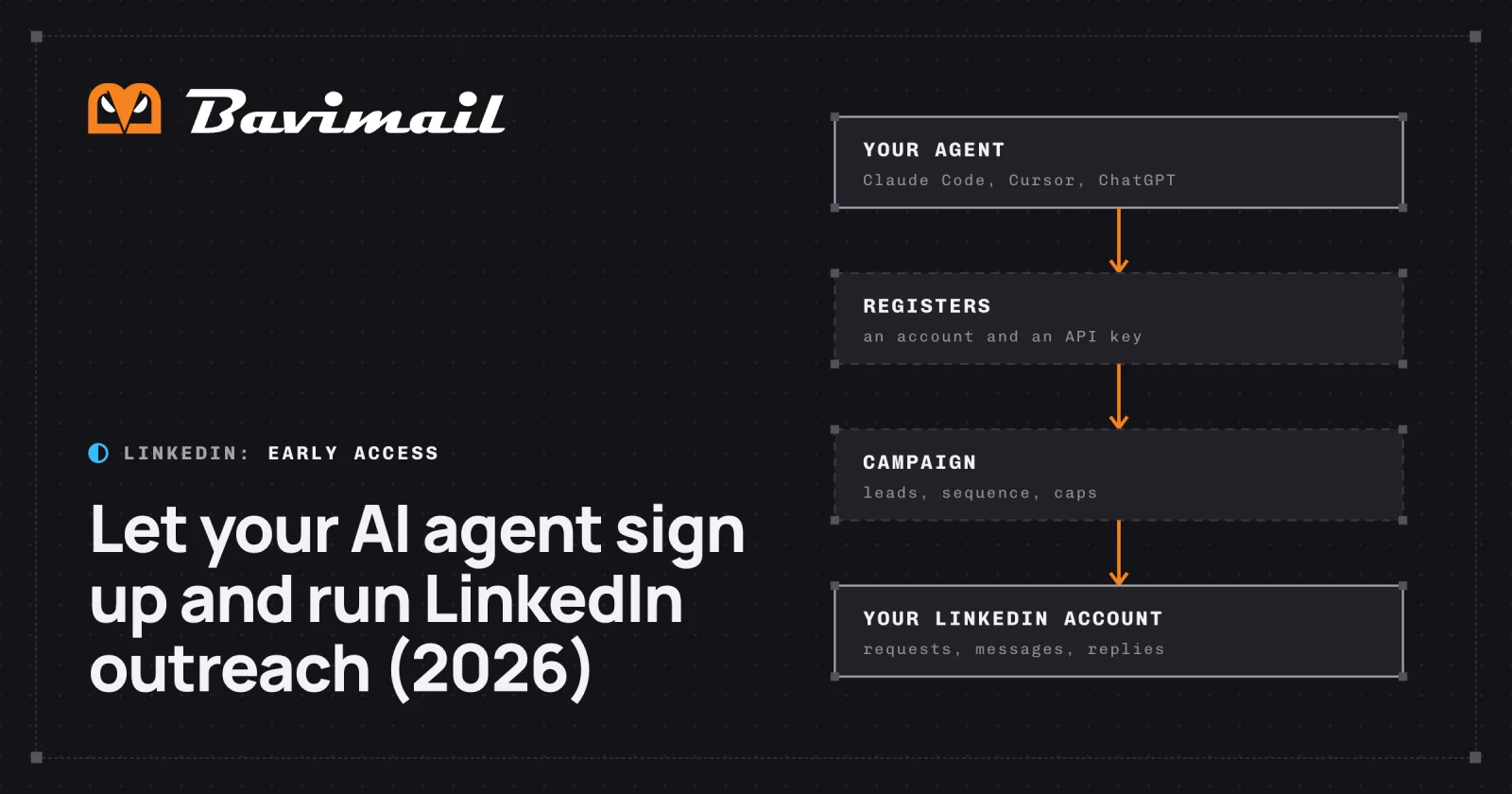
What your agent does, and what you do
The agent does 8 of the 11 steps alone. The tools are on the LinkedIn MCP server, and the REST API has the same operations.
| Step | Who | MCP tool |
|---|---|---|
| Register an account and get an API key | Agent | start_registration |
| Confirm the account | You open one email | |
| Write the company profile from your website | Agent | draft_workspace, save_workspace_profile |
| Build the campaign from your ideal customer and buying signals | Agent | create_campaign |
| Find leads | Agent | find_campaign_leads |
| Choose a plan | The agent asks; you add a card at the checkout link the first time | subscribe_plan |
| Connect your LinkedIn account | You give the agent your LinkedIn email, password and the code LinkedIn sends | connect_linkedin, verify_linkedin_checkpoint |
| Write the sequence | Agent | save_campaign_sequence |
| Start, pause or resume the campaign | Agent | update_campaign |
| Follow each lead's progress | Agent | get_campaign_outreach, list_campaign_events |
| Read and answer replies | Agent | list_conversations, get_conversation, send_conversation_reply |
The agent can also follow booked meetings once you approve your Google Calendar, Calendly or Cal.com from a link it gives you (connect_calendar, list_meetings).
A sequence is made of profile visits, post likes, connection requests, messages, waits and branches. A branch splits on whether the person accepted the connection request or replied. Each message comes from a template with the lead's first name, company and title, or is written by AI for that lead.
How the agent signs up
The agent calls POST /, or start_registration over MCP, with or without your email. The API key comes back in the same answer. An auth.md file at the API's address describes the flow for agents.
Until you open the confirmation email, the account is provisional. The agent can set it up, and the actions that need a confirmed account wait for you. An account nobody confirms is deleted after 7 days, with its API key. Starts are rate limited per address.
If you're already in the loop, you can sign in with OAuth from your MCP client instead, or create an API key for the agent from an existing account.
The limits it runs under
These are the new version's limits, per LinkedIn account.
| Limit | Value |
|---|---|
| Connection requests a day | Days 1 to 7: 6. Days 8 to 14: 12. Days 15 to 21: 18. From day 22: 25 |
| Connection requests a week | 100 after the warm-up |
| Messages a day | Days 1 to 7: 10. Days 8 to 14: 20. Days 15 to 21: 30. From day 22: 40 |
| Notes on connection requests from a free LinkedIn account | 3 a month |
| Pending connection requests | New requests stop while 300 are pending |
| Unanswered connection requests | Withdrawn after 21 days |
| Acceptance below 25% | Connection requests drop to half |
| Sending hours | Monday to Friday, 8 AM to 7 PM in each lead's time zone, by default |
| A lead replies | The lead leaves the sequence |
- Days 1 to 76
- Days 8 to 1412
- Days 15 to 2118
- From day 2225
Source: Limits in the outreach engine of Bavlio's new version, checked October 15, 2026.
Existing Bavlio customers run on today's version, whose caps are on LinkedIn automation limits.
What it doesn't do
- Send email. Sequence steps are LinkedIn only.
- Add your first card. You add it at the checkout link.
- Send a first message outside a campaign. First messages go out as sequence steps, and replies go through the inbox tools.
Get access
Agent sign-up is in early access until Bavlio's new version reaches production. New accounts join the waitlist.